Key takeaways
- Wearing it too loosely: A gap between the sensor and skin can create missing or inconsistent readings.
- Going to bed with a nearly empty battery: A tracker that powers off cannot record the rest of the night. Create a charging habit after waking or while showering, if your device supports that routine.
- Ignoring fit and comfort: Tightness, sweat, or pressure can disturb sleep and make the data less representative of your normal night.
- Changing settings every day: Constantly adjusting sleep goals, schedules, or permissions makes trends harder to interpret.
- Treating sleep stages as exact measurements: Consumer wearables estimate stages using sensors and algorithms. Use them for patterns, not as a substitute for clinical testing.
- Forgetting naps and schedule changes: Add naps manually when the app misses them, and note overnight shifts or travel across time zones.
- Using a wet or damaged charger: Keep charging contacts dry and stop using a cable or dock that is frayed, hot, cracked, or intermittently connected.
Sleep tracking can turn bedtime into useful information, but only when the device is fitted, charged, and configured correctly. A loose smartwatch may miss periods of movement, while an incorrectly worn ring can produce incomplete heart-rate or temperature data. Automatic bedtime detection can also fail if the device is in airplane mode, low on battery, or disconnected from its companion app. The result is a misleading sleep score that may cause you to change a routine that was working well.
The good news is that setting up sleep tracking usually takes less than 20 minutes. The steps below work for most modern smart rings and watches, including devices that track sleep stages, overnight heart rate, breathing, blood oxygen, skin temperature, and movement. Menus vary by brand, so use the device’s current app instructions when a setting has a different name. For 2026, the most useful approach is to treat sleep data as a trend over several nights—not as a medical diagnosis from one unusually high or low score.
Our top picks

As an Amazon Associate we earn from qualifying purchases at no extra cost to you.
What You Need
| Item | Why | Optional? |
|---|---|---|
| Compatible smart ring or smartwatch | The wearable collects movement, pulse, and other sleep signals. | No |
| Charged device | A full charge helps prevent gaps during the night. Aim for at least 30 percent before bed. | No |
| Phone or tablet | Most devices require an app for setup, syncing, reports, and firmware updates. | No |
| Stable Bluetooth connection | Bluetooth transfers data between the wearable and the companion app. | No |
| Account and app permissions | Sign-in, motion access, notifications, and health permissions allow the tracker to record and display data. | No |
| Charger and charging cable | You may need to charge before bedtime or immediately after waking. | No |
| Sleep notes or journal | Notes about caffeine, illness, alcohol, stress, or unusual schedules help explain changes in your data. | Yes |
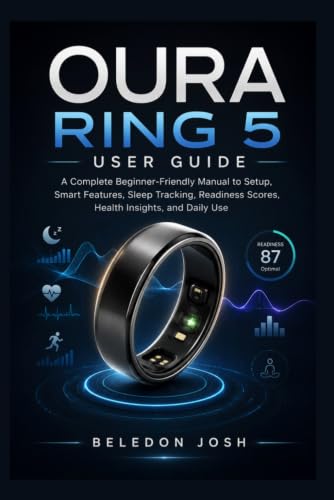
If you prefer printed instructions, beginner guides for smart rings and watches are available for roughly $15 to $19.99. They can be useful for learning basic menus, charging, sleep monitoring, and score definitions, but the device manufacturer’s app remains the final authority for current settings.
Step-by-Step
-
Choose the device and download its app (3–5 minutes)
Install the official companion app from your phone’s app store. Check that your phone meets the app’s operating-system requirements and has enough free storage for updates. Avoid pairing through a third-party health app first; complete the manufacturer’s setup before connecting services such as Apple Health, Google Health Connect, or Samsung Health.
-
Charge and pair the wearable (3–5 minutes)
Place the ring on its charging dock or connect the watch to its supplied charger. Many trackers can be paired with a partial charge, but starting at 50 percent or more reduces the chance of losing the first night’s data. Turn on Bluetooth, open the companion app, and select the pairing option. Confirm the code shown on both devices if prompted.
Keep the phone within about 10 feet during pairing. If the connection fails, turn Bluetooth off and on, restart the app, and make sure the wearable is not already connected to another phone.
-
Install updates and review permissions (5–10 minutes)
Allow firmware and app updates before sleeping in the device. Updates can improve battery management, sensor behavior, and sleep reports. During setup, permit the access needed for sleep tracking, which commonly includes motion, heart rate, notifications, and background activity. If the phone asks whether the app may run in the background, select the option that allows syncing.
Review privacy settings carefully. Enable only the permissions you understand and need. You can usually change them later in the phone’s Settings menu.
-
Enter your health and sleep profile (3–5 minutes)
Enter accurate information such as age, height, weight, sex, typical bedtime, wake time, and time zone. These details help the app interpret activity and calculate estimates. If your schedule changes between weekdays and weekends, use a flexible sleep window rather than forcing one exact bedtime.
Set your usual sleep goal in hours. For most adults, a starting target of seven to nine hours is reasonable, but your personal need may differ. Do not change the goal every morning to improve the score; consistency makes the trend easier to understand.
-
Wear the device correctly (2–3 minutes)
For a smartwatch, wear it securely above the wrist bone, with the sensor touching your skin. It should not slide during normal movement, but it should not leave deep marks or cause numbness. A ring should fit snugly without cutting into the finger. Follow the manufacturer’s orientation instructions, especially if the ring has raised sensor bumps.
Remove lotion, dirt, and excess moisture from the sensor and your skin. If you develop redness, itching, swelling, or pain, remove the device and let the skin recover.
-
Turn on sleep tracking and bedtime features (2–4 minutes)
Open the app’s sleep, wellness, or health section and confirm that sleep tracking is enabled. Turn on automatic sleep detection if available. Some watches also offer a sleep mode, bedtime focus, or sleep schedule that dims the display and reduces notifications. These features may improve comfort, but they are not always required for recording sleep.
Check that do-not-disturb settings will not block important alarms. If the device includes blood oxygen, breathing, or temperature tracking, read its description so you know what the feature estimates and when it may be unavailable.
-
Complete a test night and sync in the morning (one night)
Wear the device for a normal night rather than deliberately changing your routine to produce a better score. Keep the wearable on unless it becomes uncomfortable or unsafe. In the morning, open the app while Bluetooth is enabled and wait for the data to sync. Review total sleep time, time in bed, awakenings, resting heart rate, and any sleep-stage estimates.
Record anything unusual, such as travel, illness, a late meal, alcohol, caffeine, or a long nap. One night is only a baseline. Use at least seven nights before drawing conclusions, and preferably compare two to four weeks of data.
Mistakes to Avoid
- Wearing it too loosely: A gap between the sensor and skin can create missing or inconsistent readings.
- Going to bed with a nearly empty battery: A tracker that powers off cannot record the rest of the night. Create a charging habit after waking or while showering, if your device supports that routine.
- Ignoring fit and comfort: Tightness, sweat, or pressure can disturb sleep and make the data less representative of your normal night.
- Changing settings every day: Constantly adjusting sleep goals, schedules, or permissions makes trends harder to interpret.
- Treating sleep stages as exact measurements: Consumer wearables estimate stages using sensors and algorithms. Use them for patterns, not as a substitute for clinical testing.
- Forgetting naps and schedule changes: Add naps manually when the app misses them, and note overnight shifts or travel across time zones.
- Using a wet or damaged charger: Keep charging contacts dry and stop using a cable or dock that is frayed, hot, cracked, or intermittently connected.
How Often
Check the app once each morning after syncing, but avoid obsessing over every score. Review weekly trends once or twice per week. Look for changes in total sleep, regularity, nighttime awakenings, resting heart rate, and how you feel during the day. Clean the wearable according to its instructions, commonly every few days or whenever it becomes sweaty or dirty. Inspect the band, ring, charger, and sensor at least monthly.
Charge on a predictable schedule. Depending on the model and features enabled, a smartwatch may need charging every one to three days, while a smart ring may last several days. Battery life varies with screen use, notifications, GPS, temperature, and sensor settings.
When to Call a Pro or Replace
Contact the manufacturer’s support team if sleep data is missing for several nights despite a secure fit, adequate charge, current software, and successful syncing. Support can check account problems, sensor faults, and compatibility issues. Seek medical advice if you have loud habitual snoring, gasping or choking during sleep, persistent insomnia, extreme daytime sleepiness, or repeated concerns about your breathing or heart rate. A wearable cannot diagnose sleep apnea or another disorder.
Replace the device or its band when the battery swells, the case cracks, the sensor becomes damaged, charging repeatedly fails, or the wearable causes a persistent skin reaction. Do not puncture, open, or continue wearing a swollen battery. A failing battery that drops from a full charge to empty overnight is also a practical reason to replace the device, especially if it regularly interrupts sleep recording.
FAQ
Do I need to wear a sleep tracker every night?
No, but consistent use produces more useful trends. Aim for at least seven nights to establish a baseline, then continue as often as the device remains comfortable and helpful.
Why did my device record no sleep?
Common causes include a dead battery, loose fit, disabled permissions, Bluetooth or app-sync problems, outdated firmware, or wearing the device on the wrong finger or wrist. Charge it, secure the fit, open the app, and sync manually before troubleshooting further.
Should I trust my sleep score?
Use the score as a general wellness signal, not a clinical result. Compare it with your energy, mood, and routine over several weeks. A single low score after travel or illness does not necessarily indicate a lasting problem.
Can sleep tracking replace a sleep study?
No. Consumer devices estimate sleep and related signals. If you have persistent symptoms or a healthcare professional recommends evaluation, a formal sleep assessment provides the appropriate diagnostic information.