Our Top Picks




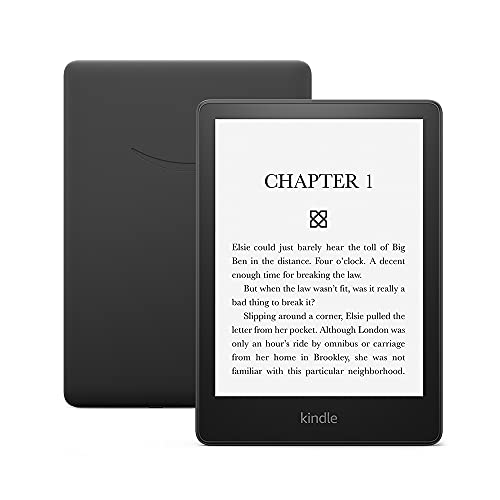
If you are shopping the Black Friday sales for an e-reader and want the shortest possible answer: the Kindle Paperwhite 16 GB (2024) is the best overall pick for most people, because it pairs a 7-inch 300 ppi glare-free display with IPX8 waterproofing, adjustable warm light and a battery rated at up to 12 weeks — all at a mid-range price that historically sees the steepest discounts of the year. Choose the Kindle 16 GB (2024) instead if you read mostly indoors, want the lightest possible device and would rather put the savings toward books. Step up to the Paperwhite Signature Edition 32 GB if you want an auto-adjusting front light, wireless charging and double the storage, or to the Colorsoft Signature Edition if color covers, comics and highlighted text are worth a premium to you. The rest of this guide compares screen types, storage, waterproofing, battery life and bundle extras across every current model so you can match the deal to the way you actually read.
Top 3 Picks
Best overall: Kindle Paperwhite 16 GB (2024). It is the model that gets the fewest compromises right — a 7-inch 300 ppi screen, warm light for night reading, IPX8 waterproofing for baths and pools, and up to 12 weeks of battery. For the vast majority of readers it is the last e-reader they will need to buy for years, and Black Friday is when its price band drops closest to the entry tier.
Best budget: Kindle 16 GB (2024). You still get the sharp 300 ppi text rendering that matters most for reading, in a body around 158 g that disappears into a jacket pocket. You give up waterproofing and warm light, and battery life is rated at about half the Paperwhite’s — a fair trade if your reading happens indoors.
Best premium: Kindle Paperwhite Signature Edition 32 GB (2024). Same 7-inch screen as the standard Paperwhite, but with an ambient light sensor that adjusts brightness for you, wireless charging so you can drop it on a pad instead of hunting for a cable, and 32 GB of storage. If color is the priority instead, the Colorsoft Signature Edition is the premium alternative worth comparing against it.
Quick Comparison
Every current model in one view. Prices are deliberately given as tiers rather than figures, because Black Friday pricing on e-readers changes daily and by region — what matters is which tier a deal falls into and whether the spec jump justifies it.
| Product | Best for | Key specs | Price tier |
|---|---|---|---|
| Kindle 16 GB (2024) | Indoor reading on the lowest budget | 6″ 300 ppi · 16 GB · ~158 g · front light only · no IPX8 · up to 6 weeks battery · USB-C · Bluetooth audio | Budget |
| Kindle Paperwhite 16 GB (2024) | Most readers, all-round pick | 7″ 300 ppi · 16 GB · ~211 g · IPX8 waterproof · adjustable warm light · up to 12 weeks battery · USB-C | Mid-range |
| Kindle Paperwhite Signature Edition 32 GB (2024) | Premium monochrome with wireless charging | 7″ 300 ppi · 32 GB · ~214 g · IPX8 · auto-adjusting front light · wireless charging · up to 12 weeks battery | Premium |
| Kindle 16 GB (newest model) | Lightest, fastest current base Kindle | 6″ display · 16 GB · thinner and lighter than the previous base model · faster page turns · front light only · no IPX8 | Budget |
| Kindle Colorsoft Signature Edition 32 GB (newest model) | Color covers, comics, magazines and highlights | 7″ color display · 32 GB · aluminum body · IPX8 · auto-adjusting light · wireless charging · multi-week battery | Premium |
| Kindle Paperwhite 16 GB (previous generation, larger display) | Waterproof reading at a value price | 6.8″ 300 ppi · 16 GB · ~205 g · IPX8 · adjustable warm light · up to 10 weeks battery · USB-C | Budget |
| Kindle 32 GB (all-new) | Ad-free reading with storage headroom | 6″ display · 32 GB · thinner aluminum design · ships without lockscreen ads · Alpine Sky finish | Mid-range |
How We Chose
This roundup is built from published specification sheets and the way each model is positioned in the current lineup, not from physical units. The first filter was screen fundamentals: diagonal size, pixel density and whether the panel is monochrome E Ink or color. Every current monochrome model in this list renders text at 300 ppi, so resolution is no longer a reason to pay more — screen size, lighting and panel type are.
The second filter was environmental durability. Waterproofing is the single biggest functional split in the range: some models carry an IPX8 rating and some do not, and that difference decides whether a device is a bath-and-beach reader or a bedside reader. We treated it as a hard category rather than a nice-to-have.
Third, we mapped each model to a reader profile rather than ranking them absolutely: light indoor reader, commuter, night reader, comic and magazine reader, and the reader who keeps a device for six or seven years and wants headroom. Fourth, we looked at the upgrade path — what you actually gain by moving up a tier, and whether that gain is worth the price step. Finally, we weighed bundle economics: ad-free configurations, included covers, charger omissions and trade-in credit, all of which change the real cost of a Black Friday deal far more than a small headline discount does.
1. Kindle 16 GB (2024) – Best for Indoor Readers on a Budget
As an Amazon Associate we earn from qualifying purchases at no extra cost to you.

This is the model to buy when reading happens on the sofa, in bed or on a train seat, and when the idea of paying a premium for waterproofing feels unnecessary. It suits first-time e-reader buyers, second-device buyers who want something cheap enough to leave in a bag, and anyone who reads a handful of books a month rather than a handful a week. It is also the natural pick for a teenager or a gift purchase where the recipient has never used an e-reader before and you would rather not over-invest before you know whether the habit sticks.
Key specs
- Display: 6-inch E Ink panel at 300 ppi — the same pixel density as the more expensive models, so text sharpness is not the compromise
- Storage: 16 GB
- Weight: roughly 158 g, light enough to hold one-handed for long sessions
- Front light: adjustable brightness, but no warm-light tint and no ambient sensor
- Waterproofing: none — this tier has never carried an IPX8 rating, so keep it away from the bath and the pool
- Battery: rated up to 6 weeks at 30 minutes of reading per day
- Charging: USB-C
- Audio: Bluetooth support for audiobooks
The storage number deserves a reality check, because “16 GB” sounds smaller than it is for text. Subtract system overhead and you have roughly 13 to 14 GB usable. A typical text-only novel is around 2 MB, which works out to somewhere near 6,500–7,000 books before you fill the drive. Even a heavy reader finishing 50 books a year would take more than a century to fill it with prose. Where 16 GB starts to feel tight is illustrated content: a single comic volume or heavily designed cookbook can run 100–300 MB, so a library of graphic novels is the one scenario where storage genuinely becomes a constraint.
Battery ratings work the same way and are worth converting. “Up to 6 weeks” is quoted at 30 minutes of reading per day with wireless off and the front light at a moderate setting, which is roughly 21 hours of screen-on reading. If you read an hour a night, expect closer to three weeks per charge; if you read with brightness at maximum, expect less again. Six weeks is a best-case figure, not a promise, but even the realistic number is measured in weeks rather than days — a genuine advantage over tablets.
What makes this model compelling on Black Friday is that it is the cheapest legitimate route to a 300 ppi screen. The display quality that determines whether you enjoy reading on a device — crisp letterforms, no visible pixel grid, no eye strain from a backlit LCD — is present here in full. You are paying less for light temperature, waterproofing and battery capacity, not for legibility.
Pros
- 300 ppi text rendering at the lowest price in the lineup
- Around 158 g — the lightest reading experience here
- Holds thousands of text books with no practical storage worry
- USB-C charging and Bluetooth audiobook support, so it does not feel dated
- Small enough to slip into a coat pocket, which means it actually travels with you
Cons
- No IPX8 waterproofing — one splash or a dropped bath book is a real risk
- No warm light, so night reading is cooler and slightly harsher than the Paperwhite
- Battery life is roughly half that of the Paperwhite tier
- Smaller 6-inch screen means more page turns per chapter
Against the nearest alternative in this list — the Kindle Paperwhite 16 GB (2024) — the trade is simple and worth stating plainly. The Paperwhite adds an inch of screen, IPX8 waterproofing, warm light and roughly double the battery life for one tier up in price. If any one of those three features matters to you, the upgrade pays for itself over a device lifetime of several years. If none of them do, this model is the better-value purchase and the extra money is better spent on books.
2. Kindle Paperwhite 16 GB (2024) – Best for Most Readers

This is the default recommendation for anyone who is not actively trying to spend as little as possible. It suits commuters who read on a train or bus, night readers who want a warm tint before sleep, bath and pool readers, and the majority of people who will keep one device for four to seven years and want it to still feel current at the end of that run. If you are buying one e-reader and you want to stop thinking about the decision afterwards, this is the model that ends the search.
Key specs
- Display: 7-inch E Ink panel at 300 ppi with a glare-free front-lit surface
- Lighting: adjustable brightness plus an adjustable warm-light range for night reading
- Storage: 16 GB
- Weight: around 211 g
- Waterproofing: IPX8 rated — designed to survive immersion in fresh water, which covers baths, pools and rain
- Battery: rated up to 12 weeks at 30 minutes per day, with wireless off
- Charging: USB-C
- Audio: Bluetooth for audiobooks
The 7-inch screen is the headline change and it is not marketing filler. Going from a 6-inch to a 7-inch diagonal increases the visible page area by roughly a third, which means fewer page turns per chapter and a page geometry that feels closer to a paperback. For readers who notice that they are constantly tapping to advance, this is the upgrade that removes the friction. The warm light is the second practical gain: shifting the front light toward amber in the evening reduces the cool blue cast that makes a screen feel clinical at 11 p.m.
Waterproofing is the feature that most often decides the purchase, and it is worth understanding what IPX8 actually means rather than treating it as a vague promise. An IPX8 rating means the device is designed to withstand continuous immersion in fresh water under defined test conditions — it is not a claim about salt water, chlorinated pools at depth, hot tubs, soapy water or steam. Practically, that covers the bath, the pool edge, rain on a commute and a spilled drink. It does not cover dropping it in the sea, and it is not a licence to leave it submerged indefinitely. Treat the rating as protection against accidents, not as a design brief.
Battery life is the second number worth translating. Twelve weeks at 30 minutes a day is about 42 hours of reading. Read for an hour a night and you are looking at roughly six weeks between charges; drop the brightness, turn off wireless and you extend it further. For most people this means charging a handful of times a year, and it is the reason an e-reader feels different from a tablet even when the two share a screen size.
Compared with the entry model, the Paperwhite is the “no regrets” purchase: you are buying the features that people most commonly wish they had bought the first time. Compared with the Signature Edition, it gives up auto-brightness, wireless charging and the second 16 GB of storage, and it is usually the smarter buy unless one of those three specifically appeals. Compared with the previous-generation Paperwhite, it adds two-tenths of an inch, faster page turns and roughly two extra weeks of rated battery life.
Pros
- 7-inch 300 ppi screen with noticeably more text per page
- Adjustable warm light makes long evening sessions far more comfortable
- IPX8 waterproofing covers baths, pools and rain
- Up to 12 weeks of rated battery life — about 42 hours of actual reading
- USB-C and Bluetooth keep it aligned with everything else you own
Cons
- Around 211 g is noticeably heavier than the entry model in a one-handed hold
- No ambient light sensor, so brightness is a manual adjustment
- No wireless charging, which means a cable every few weeks
- 16 GB is ample for text but modest if you collect comics and illustrated titles
If you are torn between this and the Signature Edition, the decision usually comes down to how much you dislike managing brightness and cables. The Signature Edition automates both and doubles storage. If neither of those irritations bothers you, this model delivers the same screen, the same waterproofing and the same battery rating for less, which is why it remains the best overall pick in this roundup.
3. Kindle Paperwhite Signature Edition 32 GB (2024) – Best for a Premium Monochrome Experience

This is the model for the reader who has already decided that the Paperwhite is the right shape and size, and who wants the last few conveniences rather than the last few dollars. It suits people who read in changing light — a bright window at midday, a dim bedroom at midnight — and who do not want to think about brightness at all. It also suits readers who have moved their charging habits to wireless pads for phone and watch and would rather not keep a cable on the nightstand just for a book.
Key specs
- Display: 7-inch E Ink panel at 300 ppi, glare-free front-lit
- Lighting: auto-adjusting front light with an ambient sensor, plus warm-light control
- Storage: 32 GB
- Weight: around 214 g — a few grams more than the standard Paperwhite
- Waterproofing: IPX8 rated
- Charging: wireless charging plus USB-C
- Battery: rated up to 12 weeks at 30 minutes of reading per day
- Extras: typically ships in an ad-free configuration
The auto-adjusting light is the feature that justifies the tier more than the storage does. An ambient sensor samples the room and sets brightness accordingly, so the screen is readable in daylight without being blinding at night. If you have ever opened a book at 2 a.m. and been hit by a full-brightness page, you understand the value. It is a small, unglamorous convenience that you notice every single day, which is exactly the kind of feature worth paying for once.
Storage doubles to 32 GB here, which translates to roughly 27–28 GB usable and somewhere in the region of 13,000–14,000 text novels. For prose alone that is effectively unlimited. The meaningful benefit shows up with illustrated content: at 100–300 MB per comic volume, 32 GB holds roughly 90–250 volumes depending on file size, where 16 GB would fill up in half that. If your library is mostly novels, buy this model for the light sensor and wireless charging, not the drive size.
Wireless charging matters less than it sounds until you have used it. Charging a device a handful of times a year means the cable is never where you left it; a charging pad removes that small recurring annoyance entirely. It is a convenience, not a necessity, and it should be weighed accordingly.
Against the standard Paperwhite 16 GB, this model adds an ambient sensor, wireless charging, double the storage and usually an ad-free configuration, for one price tier more. That is a reasonable bundle, but it is not a leap in reading quality — the screen, waterproofing and battery rating are identical. Against the Colorsoft Signature Edition, the trade is color versus contrast and battery: the Colorsoft gives you a color panel and an aluminum body, while this model gives you the deepest black text and the longest rated battery life in the lineup.
Pros
- Auto-adjusting front light removes manual brightness management entirely
- 32 GB holds thousands of novels or well over a hundred comic volumes
- Wireless charging means no dedicated cable on the nightstand
- Same 7-inch 300 ppi screen and IPX8 rating as the standard Paperwhite
- Typically ad-free out of the box, which is worth real money on its own
Cons
- One price tier above the standard Paperwhite for conveniences rather than reading quality
- Slightly heavier than the standard Paperwhite
- No color, so illustrated titles render in greyscale
- Storage headroom is wasted if you only read prose
The honest framing: if you are choosing between this and the standard Paperwhite and money is tight, the standard model is the smarter purchase, because the reading experience is identical. If you are choosing between this and the Colorsoft and you do not read comics, this is the better buy — monochrome text on a color panel never looks better than monochrome text on a monochrome panel.
4. Kindle 16 GB (Newest Model) – Best for the Lightest Current Base Kindle
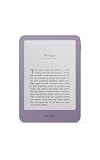
This is the newest entry-tier model, and it suits readers who want the base Kindle experience but refreshed: thinner, lighter and faster than the version it replaces. It is a good fit for people who read in short bursts — ten minutes on a commute, a chapter before sleep — and who value a device that genuinely disappears in a pocket or a small bag. It is also a sensible pick for a reader upgrading from an older entry-level e-reader who wants the same simple formula without moving up a price tier.
Key specs
- Display: 6-inch class E Ink panel with front lighting
- Storage: 16 GB
- Build: thinner and lighter than the previous base model, which sat around 158 g
- Performance: faster page turns than the previous generation
- Lighting: adjustable brightness front light; no warm-light tint and no ambient sensor
- Waterproofing: the listing does not claim an IPX8 rating, and the base tier has historically gone without one — treat it as an indoor and travel reader
- Charging: USB-C
- Audio: Bluetooth for audiobooks
The interesting question with this model is whether the generational refresh changes the buying decision. In practice, the improvements are about feel rather than capability. Thinner and lighter matters more than it sounds: at the base tier, the device is the one you carry most often, and every gram and millimetre removed increases the odds that it is in your bag when you have ten spare minutes. Faster page turns matter for the same reason — they are invisible when they work and irritating when they do not.
What has not changed is the feature set that defines the tier. There is still no waterproofing, no warm light and no ambient sensor, and battery life remains in the multi-week rather than multi-month class. If those omissions are acceptable to you, this is a straightforwardly better version of the cheapest way into the ecosystem. If any of them is a dealbreaker, no amount of thinness fixes it, and you should be looking at the Paperwhite tier instead.
On storage, the same math applies as elsewhere in the base tier: roughly 13–14 GB usable, which is comfortably 6,000-plus text novels and comfortably short of a large comics library. Buy it for prose, not for graphic novels.
Against the Kindle 16 GB (2024), this is the newer, slimmer version of the same idea at the same price tier. If a Black Friday deal puts them close together, take this one — you are getting the newer chassis and faster page turns for the same money. If the older model is discounted more aggressively, the difference is cosmetic enough that taking the deeper discount is defensible, particularly if you plan to keep the device in a case anyway.
Pros
- Thinner and lighter than the previous base model, which makes it easier to carry daily
- Faster page turns improve the feel of the device in use
- 6-inch 300 ppi class text rendering keeps legibility high
- 16 GB is ample for a large prose library
- USB-C and Bluetooth audiobook support keep it current
Cons
- No waterproofing, so baths, pools and beach days are off the table
- No warm light for night reading
- Battery life is in the multi-week class, not the Paperwhite’s 12-week class
- 6-inch screen means more page turns than a 7-inch model
The nearest alternative is the Kindle 16 GB (2024) directly above it in price tier. The comparison is essentially generational: same screen size class, same storage, same lighting feature set, but a slimmer body and quicker page turns on the newer model. If you are deciding purely on price, the older model at a deeper discount is still a good reader; if the two are within a small margin of each other on Black Friday, the newest model is the one to take.
5. Kindle Colorsoft Signature Edition 32 GB (Newest Model) – Best for Color Content

This is the model for a specific reader: someone who reads comics, graphic novels, magazines, illustrated non-fiction or heavily annotated textbooks, and for whom greyscale rendering is a genuine downgrade rather than a minor inconvenience. It also appeals to readers who highlight extensively and want color-coded annotations, and to anyone who wants the newest industrial design in the lineup — the aluminum body and thinner chassis are part of the pitch, not an afterthought.
Key specs
- Display: 7-inch color E Ink panel; black text is rendered at the high pixel density the Paperwhite class is known for, while color rendering uses a lower effective resolution because of the color filter layer
- Storage: 32 GB
- Build: thinner chassis with an aluminum design
- Lighting: auto-adjusting front light with warm-light control
- Waterproofing: IPX8 rated
- Charging: wireless charging plus USB-C
- Battery: multi-week rated life — a color filter layer draws more power than a pure monochrome panel, so expect fewer weeks per charge than a same-size monochrome Paperwhite
The single most important thing to understand about a color E Ink reader is that the color layer sits above the monochrome layer and filters light. That means color reproduction is muted compared with a phone or tablet — closer to a printed page than to a backlit screen — and the effective resolution of color content is lower than the black-and-white text layer. For comic readers this is usually a good trade: pages look like paper, there is no glare, no notification interruptions, and battery life is still measured in weeks rather than hours. For readers who want punchy, saturated imagery, a tablet remains the better tool.
Text reading on a color panel is the compromise most people underestimate. Black text is still crisp, but a color filter layer slightly reduces contrast compared with a monochrome panel, and the additional layer means battery drains faster. If ninety percent of your reading is plain prose, you are paying a premium and accepting a small penalty for a capability you rarely use. If even thirty percent of your reading is illustrated, the calculus flips entirely.
Storage is where this model is genuinely generous. At 32 GB you have roughly 27–28 GB usable, which is somewhere near 13,000–14,000 text novels or roughly 90–250 comic volumes depending on how the publisher packages them. Color files are larger than monochrome ones, so a comics library is the scenario that actually justifies the drive size.
Against the Paperwhite Signature Edition 32 GB — the nearest alternative in this list and the same price tier — the trade is clean. The Signature Edition gives you higher text contrast, longer rated battery life and the same storage and conveniences. The Colorsoft gives you color, an aluminum body and a thinner design. Choose on content: if you read comics and magazines, the Colorsoft is the only model here that serves you properly. If you read prose, the Signature Edition is the better reader and the better value.
Pros
- Color rendering makes comics, magazines and illustrated titles genuinely readable
- 32 GB provides real headroom for large illustrated files
- Aluminum body and thinner chassis feel more premium than the plastic tiers
- Auto-adjusting light, warm light, wireless charging and IPX8 waterproofing all included
- Color highlighting makes annotated study material far easier to scan
Cons
- Color reproduction is muted compared with a phone or tablet screen
- Color content renders at a lower effective resolution than the black-and-white text layer
- Shorter battery life than a monochrome model of the same size
- Slightly lower text contrast than the Paperwhite class
- Premium tier pricing for a capability that only pays off with illustrated content
If you are weighing this against the Paperwhite Signature Edition, ask one question: will you read color content at least a few times a month? A yes makes this the right purchase and the only one in this list that fits. A no makes the Signature Edition the better reader in every measurable way — contrast, battery and value.
6. Kindle Paperwhite 16 GB (Previous Generation, Larger Display) – Best for Waterproof Value

This is the previous-generation Paperwhite, and it occupies a genuinely useful position: it is the cheapest way in this list to get waterproofing, warm light and a larger-than-base screen. It suits readers who want the Paperwhite feature set but who would rather not pay current-generation prices — the kind of buyer who is happy to take last year’s model at a deep Black Friday discount and keep it for five years. It also suits anyone buying a second waterproof reader for a holiday home or a pool bag.
Key specs
- Display: 6.8-inch E Ink panel at 300 ppi, glare-free front-lit
- Storage: 16 GB
- Weight: around 205 g
- Lighting: adjustable brightness with adjustable warm light
- Waterproofing: IPX8 rated
- Battery: rated up to 10 weeks at 30 minutes per day, wireless off
- Charging: USB-C
- Audio: Bluetooth for audiobooks
The interesting thing about this model in 2026 is how little you give up. The screen is 6.8 inches rather than 7, which is a difference of roughly two-tenths of an inch — measurable on a spec sheet, barely noticeable in a page of text. Resolution is identical at 300 ppi, waterproofing is identical at IPX8, warm light is present, and battery life is rated at 10 weeks rather than 12, which converts to roughly 35 hours of reading instead of 42. The chassis is slightly thicker with a marginally larger bezel, and page turns are a touch slower than the current generation. Those are the entire differences.
That makes this the value play of the roundup when the discount is deep. Black Friday discounts tend to be largest on outgoing generations precisely because stock needs to clear, and this is the model where a steep reduction is most likely. If you find it at a budget-tier price, you are effectively buying current-generation features at entry-tier money — which is the single best deal structure in the e-reader category.
The caution is straightforward: check that the listing specifies the model generation before you buy, because Paperwhite listings across generations share similar names and are easy to confuse. The generation to look for here is the one with the 6.8-inch display and warm light — if a listing mentions a 6-inch screen or no warm light, it is an older model and the value proposition changes.
Against the current Paperwhite 16 GB (2024), the comparison is close enough that price should decide it. Same resolution, same waterproofing, same storage, same warm light; slightly smaller screen, slightly thicker body, slightly slower page turns, two fewer weeks of rated battery. If the current model is discounted heavily, take the current model. If this one is a clear tier cheaper, it is the smarter purchase and you will not feel the difference while reading.
Pros
- IPX8 waterproofing at the lowest price point in this list
- 300 ppi resolution identical to the current generation
- Adjustable warm light for comfortable night reading
- Up to 10 weeks of rated battery life — about 35 hours of reading
- Frequently the deepest discount of any model during Black Friday sales
Cons
- 6.8-inch screen is marginally smaller than the current 7-inch class
- Slightly thicker chassis and larger bezels than the newest design
- Page turns are a touch slower than the current generation
- Fewer weeks of rated battery life than the 2024 Paperwhite
- Generation confusion in listings means you must read the spec line carefully
If you are choosing between this and the newest base Kindle, the decision is features versus price. This model costs more but adds waterproofing, warm light and a bigger screen — a meaningful upgrade for anyone who reads in the bath or at night. If both are near the same price on sale, this one wins on capability. If the base model is substantially cheaper, the base model wins on value.
7. Kindle 32 GB (All-New) – Best for Ad-Free Reading With Storage Headroom

This model targets a specific annoyance: lockscreen advertising. It ships without lockscreen ads, which means the device wakes straight to your book rather than to a promotional panel. It suits readers who find ads on a device they paid for irritating, and it also suits anyone who wants 32 GB of storage in a compact 6-inch body — a combination that did not exist in the base tier until recently. The aluminum design and Alpine Sky finish add a more premium feel than the plastic entry models.
Key specs
- Display: 6-inch class E Ink panel with front lighting
- Storage: 32 GB
- Build: thinner aluminum design in an Alpine Sky finish
- Ads: ships without lockscreen ads — no promotional panel on wake
- Lighting: adjustable brightness front light; no warm-light tint and no ambient sensor
- Waterproofing: the base-tier 6-inch class does not carry an IPX8 rating
- Charging: USB-C
- Audio: Bluetooth for audiobooks
The ad-free configuration is worth more than it looks. On models that ship with lockscreen ads, removing them normally requires a one-time charge that varies by region and model, and that charge is applied per device. Buying a model that includes an ad-free experience in the price means you are not paying twice for the same device — once at checkout and once again to make it behave the way you expected. If you are comparing two models at similar prices and one is ad-free, treat that as a real discount rather than a cosmetic detail.
The 32 GB of storage in a 6-inch body is the second distinguishing feature. That is roughly 27–28 GB usable, or somewhere around 13,000–14,000 text novels. It is more storage than most prose readers will ever need, but it is genuinely useful for readers who keep large reference libraries, who download heavily illustrated titles, or who prefer to load a big backlog before a long trip rather than manage space along the way.
The aluminum design and thinner chassis are the third element. Aluminum feels cooler and more rigid than plastic, and it resists the flex that cheaper bodies develop over years of use. If you are the kind of buyer who keeps a device for six or seven years, a metal body is a small but real durability argument. It also means the device looks less like a budget gadget in public, which some readers care about more than they admit.
Against the newest base Kindle 16 GB, this model doubles storage, upgrades the body material and removes lockscreen ads, at one tier up. Against the Paperwhite tier, it stays at 6 inches and gives up waterproofing and warm light. That places it in an unusual middle position: it is the best 6-inch reader here if storage and ad-free use matter to you, but it is not the right choice if you read in the bath or want warm light at night.
Pros
- Ships without lockscreen ads, avoiding a separate one-time removal charge
- 32 GB of storage in a compact 6-inch body — roughly 13,000-plus novels
- Aluminum body is more rigid and more durable-feeling than plastic tiers
- Thin, light design that travels easily
- Distinctive Alpine Sky finish stands out from the usual black slabs
Cons
- No IPX8 waterproofing at this screen size class
- No warm light for night reading
- 6-inch screen means more page turns than the 7-inch models
- Storage headroom is unnecessary if you only read prose
- Sits awkwardly between the cheapest base model and the Paperwhite on price
If you are deciding between this and the Kindle 16 GB (newest model), the choice is whether you want the ad-free experience and double storage. If lockscreen ads bother you and you keep a large library, this is the better purchase. If neither matters, the cheaper model reads identically and the money is better spent elsewhere.
How to Choose
Six specifications actually change how an e-reader feels day to day. Everything else in a listing is noise. Work through these in order and the right model for you falls out almost automatically.
1. Screen size: 6 inches versus 6.8 versus 7
A 6-inch display is the most portable option and the lightest, and it is entirely adequate for prose — a page holds a comfortable paragraph count and the device fits a coat pocket. A 7-inch display increases visible page area by roughly a third over 6 inches, which means noticeably fewer page turns per chapter and a layout closer to a paperback. If you read more than an hour at a time, or if you read large-print settings, the 7-inch screen is the single most noticeable upgrade in this list. The 6.8-inch panel sits between the two and is close enough to 7 inches that most readers will not perceive the difference without holding them side by side.
2. Resolution: why 300 ppi is the number that matters
Every monochrome model in this roundup renders text at 300 ppi, which is the threshold at which letterforms look like print rather than like pixels. Older entry-level devices ran at 167 ppi and the difference was obvious — fuzzier serifs, softer edges, more eye fatigue over long sessions. In 2026 you do not need to pay extra for 300 ppi, so treat it as a baseline requirement rather than a premium feature. On a color model, expect black text at high density but color content at a lower effective resolution because the color filter layer splits each pixel.
3. Panel type: monochrome versus color
Monochrome E Ink gives the deepest black text and the longest battery life. Color E Ink adds a filter layer that allows muted, paper-like color at the cost of some contrast and some battery. The decision rule is simple: if you read comics, graphic novels, magazines or color-coded study material at least a few times a month, color is worth the trade. If you read prose almost exclusively, monochrome is better in every measurable way — sharper contrast, longer runtime, lower price.
4. Storage: how much you actually need
| Content type | Typical file size | Books on 16 GB (~13.5 GB usable) | Books on 32 GB (~27.5 GB usable) |
|---|---|---|---|
| Text-only novel | 1–3 MB | ~4,500–13,000 | ~9,000–27,000 |
| Illustrated non-fiction | 20–60 MB | ~230–690 | ~460–1,400 |
| Comic or graphic novel volume | 100–300 MB | ~45–135 | ~90–275 |
| Audiobook (Bluetooth playback) | ~30–60 MB per hour | ~225–450 hours | ~460–900 hours |
The table makes the decision easy. If you read prose, 16 GB is not a constraint — it is effectively unlimited, and paying for 32 GB buys you nothing you will use. If you read comics, 16 GB fills up within a year or two of regular buying, and 32 GB is a genuine convenience. The crossover point is roughly one comic volume a week.
5. Waterproofing: what IPX8 covers and what it does not
An IPX8 rating means the device is designed to survive continuous immersion in fresh water under defined test conditions. In practice that covers the bath, the pool edge, rain and spilled drinks. It does not cover salt water, hot tubs, soapy water or steam, and it does not mean the device is indestructible — a cracked screen or a damaged port seal voids the protection. If your reading happens anywhere near water, waterproofing is worth an entire price tier, because replacing a water-damaged reader costs far more than the upgrade. If you read exclusively indoors, it is money you can spend on books instead.
6. Battery life: converting weeks into hours
Published battery ratings assume 30 minutes of reading per day, wireless off and moderate brightness. Multiply the rated weeks by 3.5 to get approximate reading hours: 6 weeks is about 21 hours, 10 weeks is about 35 hours, 12 weeks is about 42 hours. Then adjust for your habits — an hour a night at high brightness roughly halves those figures. For context, a 42-hour reader charged weekly would still only need charging a few times a year. Battery life should rarely be the deciding factor between models, but it is a legitimate tiebreaker.
7. Lighting: brightness, warm light and auto-adjust
Three tiers exist. Brightness-only lighting is the entry level and is perfectly usable for daytime reading. Warm light adds an amber shift for night reading, reducing the cool cast that makes a screen feel clinical late at night — if you read in bed, this is the feature you will notice most. Auto-adjusting light adds an ambient sensor that sets brightness for you, which is a convenience rather than a quality improvement. The gap between tier one and tier two is significant; the gap between tier two and tier three is comfort.
8. Bundle extras and what they are worth
Black Friday bundles often include a cover, a charger or a subscription trial, and it is worth separating the genuinely useful from the padding. A cover is worth real money — it protects the screen and, on models with magnetic covers, enables wake-on-open. A wall charger matters only because some models ship without one. A subscription trial is worth something only if you will actually use it before it renews at full price, so set a reminder before the trial ends. Ad-free configuration is the most valuable “extra” of all, because it is a permanent change to how the device behaves rather than a temporary perk.
9. Upgrade path: what each tier actually buys
The progression runs from a 6-inch entry reader with brightness-only lighting and no waterproofing, to a 7-inch reader with warm light, waterproofing and roughly double the battery life, to a premium version of that same 7-inch reader with an ambient sensor, wireless charging and 32 GB, and finally to a color version with an aluminum body. Each step buys a specific feature,